

I’ve been messing around A LOT with my Orangstorm Giga. There’s a lot of Good and a lot of Bad when it comes to this machine. If you haven’t been following, I created Orca Profiles and a modified Klipper printer.cfg (link to see – however, i would recommend you use Elegoo’s official fork of orca slicer) in order to “fix” the zoned bed heating issue. Basically, Elegoo Cura comes with the machine (at the time I received my printer) which is absolutely terrible. It’s supposed to pass information to Klipper which lets it know which heat beds will be used for the print. However, the slicer never sent those commands – instead it would send a general M140 command (M140 S60; set bed temperature to 60c). Klipper takes that information and turns on all of the heat beds to 60c (like a good robot). However, if you place a model on only 1 or 2 of the beds, theoretically, you should only have just those 2 beds turn on and not waste the electricity to heat beds not in use. So Klipper wants to see something like M140 T1 S60, which will turn on the bottom right heatbed to 60c.
Anyway, I really like Orca Slicer and wanted to be able to print from Orcaslicer to the machine so I created profiles for the Giga. They kind of sucked and no one told me otherwise. But after using them for a while, I can confidently say I do not like my profiles. About 2 weeks ago, I saw that Elegoo had forked OrcaSlicer and have created profiles for the Orcaslicer and the Giga. I’m testing out the profiles out now, but so far they are working really well! However, I have not changed my klipper settings from my own modifications so I had to modify their start, stop, pause, & after layer change macros. Here they are below:
Machine Start G-Code
; Pass print area coordinates and bed temperatures to Klipper
SET_GCODE_VARIABLE MACRO=HEATBED_CONTROL VARIABLE=min_x VALUE={first_layer_print_min[0]}
SET_GCODE_VARIABLE MACRO=HEATBED_CONTROL VARIABLE=min_y VALUE={first_layer_print_min[1]}
SET_GCODE_VARIABLE MACRO=HEATBED_CONTROL VARIABLE=min_z VALUE={first_layer_print_min[2]}
SET_GCODE_VARIABLE MACRO=HEATBED_CONTROL VARIABLE=max_x VALUE={first_layer_print_max[0]}
SET_GCODE_VARIABLE MACRO=HEATBED_CONTROL VARIABLE=max_y VALUE={first_layer_print_max[1]}
SET_GCODE_VARIABLE MACRO=HEATBED_CONTROL VARIABLE=max_z VALUE={first_layer_print_max[2]}M140 S{bed_temperature_initial_layer[0]} ; Set bed temperature
M190 S{bed_temperature_initial_layer[0]} ; Wait for bed temperature to reach target
M104 S{nozzle_temperature_initial_layer[0]} ; Set nozzle temperature
M109 S{nozzle_temperature_initial_layer[0]} ; Wait for nozzle temperature to reach targetM220 S100 ; Set feed speed to 100%
M221 S100 ; Set print flow percentage to 100%G90 ; Set to absolute positioning
G28 ; Home all axesG1 Z10 F300 ; Lift nozzle to avoid scratching the bed
G92 E0 ; Reset ExtruderG1 X565 Y0.5 F6000 ; Move to start position
G1 Z0.5 F300 ; Lower nozzle to printing height
G1 X665 E40 F300 ; Draw the first lineG4 P2000 ; Pause for 2 seconds
G1 Z0.6 F120.0 ; Lift slightlyG1 X660 F1000 ; Move back
G92 E0 ; Reset ExtruderG1 X565 Y0.5 F6000 ; Move to start position again
G1 Z0.5 F300 ; Lower nozzle to printing height
G1 X665 E40 F300 ; Draw the first lineG4 P2000 ; Pause for 2 seconds
G1 Z0.6 F120.0 ; Lift slightly
G1 X660 F1000 ; Move backG92 E0 ; Reset Extruder
Machine end G-Code
PRINT_END
Layer change G-Code
;AFTER_LAYER_CHANGE
;[layer_z]
Pause G-Code
PAUSE
If you decide not to mess with your klipper files, go a head and try out Elegoo’s version of Orcaslicer and let me know how it is.
What is Giga Tap?
Voron Design is the messiah of opensource 3d printing hobbyists. Companies like BambuLab, Elegoo, Creality, etc. all look at the different ways they have innovated to make 3D printing practical at home. If you haven’t yet, go pay your respects to them and be sure to donate! One of the projects they developed is called “Voron Tap”.

Tap is a nozzle-based z-probe for the V2 and Trident printer designs. The entire toolhead moves to trigger an optical switch. Tap offers many advantages:
- Extreme precision 0.4μm (0.0004mm)
- Any build surface and easily change at will
- Durability via optical sensor (millions of probe cycles)
- High temperature reliability (70C to 100C)
- Simplified probe mechanics (no dock/undock macros)
- No separate Z-endstop required
- Crash protection
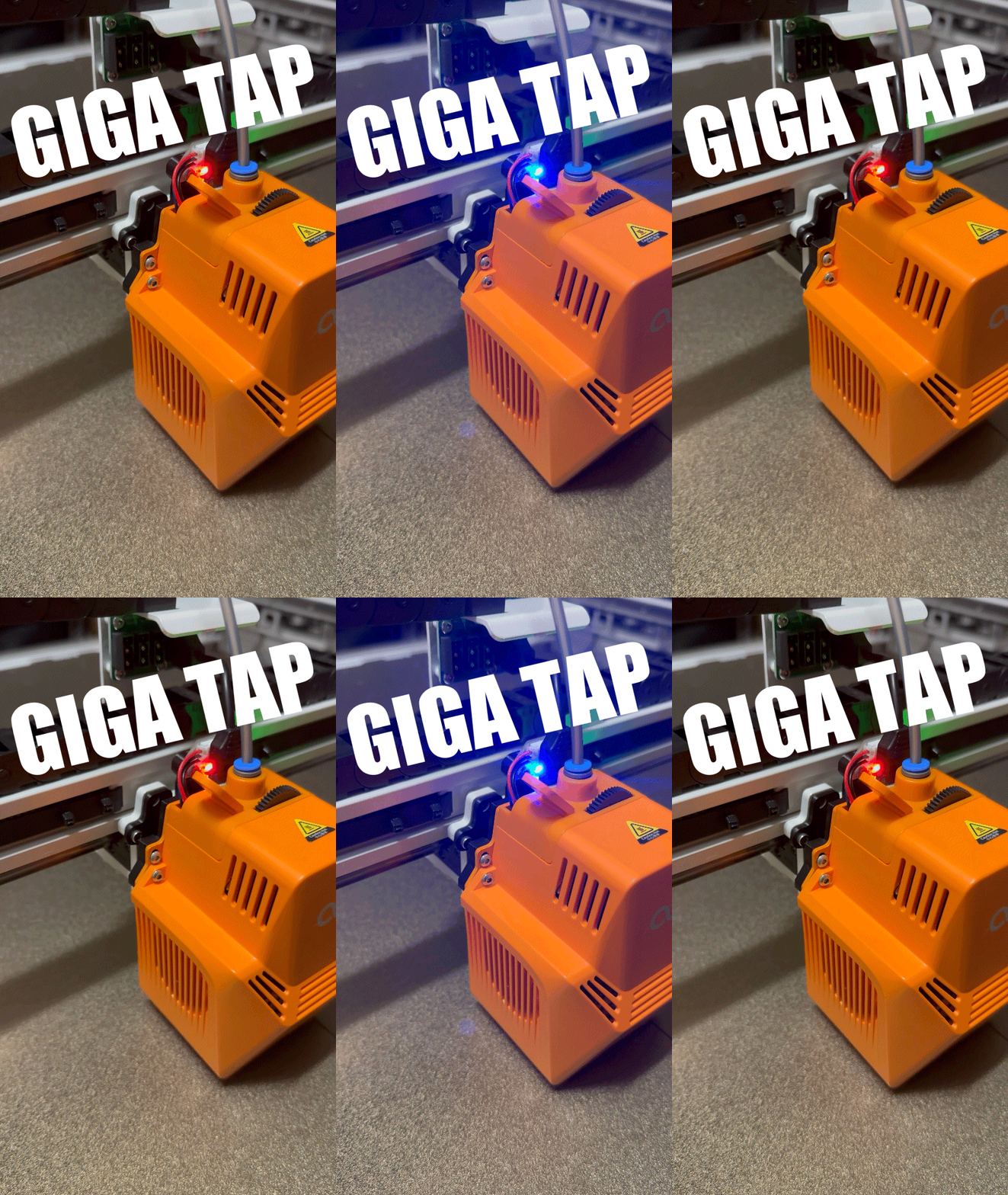
I was having a lot of issues with bed adhesion with the Orangestorm Giga. I really loved using Tap on my Voron 2.4 and it solve a lot of those bed leveling issues I was having. Initially, I decided I was going to put a Stealthburner on my Giga and have it also run Tap. While I was modeling to modify the Stealthburner to fit the X-axis carriage on my machine, I ran into a lot of issues. First, the Stealthburner’s nozzle would have ended up being almost 30-40mm further down the Y axis, which would have caused me to lose a nice chunk of my build area on the Giga. Second, I am still learning how to model with Fusion 360 and I just dont have the skillset yet to tackle a mount that would work well with the Giga and Stealthburner. So I gave up on that (for now) and instead decided to find a way to adapt Tap for the Giga’s extruder. Well – I was able to do it!


So far, it’s working as expected! I’m still testing it but so far its working very well. If you’re interested in this project, reach out to me and I’ll share the files. I am currently thinking about how I am going to incorporate Big Tree Tech’s Eddy probe with giga. This machine really needs bed scanning more than anything else.
https://youtube.com/shorts/6Yu3utoMb-k?si=rK19PdzDpIzmsoJh
Stay tuned for more.
-Erik (TryNotToBreakAnything)
One response to “Giga Tap – Orangestorm Giga Probe Mod”
I think an Eddy probe would be the absolute best improvement for this printer – just not sure if it’ll work with OSGs Klipper version. I had some trouble installing OctoEverywhere and bricked the machine after it ran the required updates & reported “Dirty Klipper version”.
I’m currently trying to figure out if I can get vanilla Klipper with Mainsail going on this beast.